
Export or open the log
Reproduce the failure once and find the complete configuration path.
current 4.2.2 troubleshooting
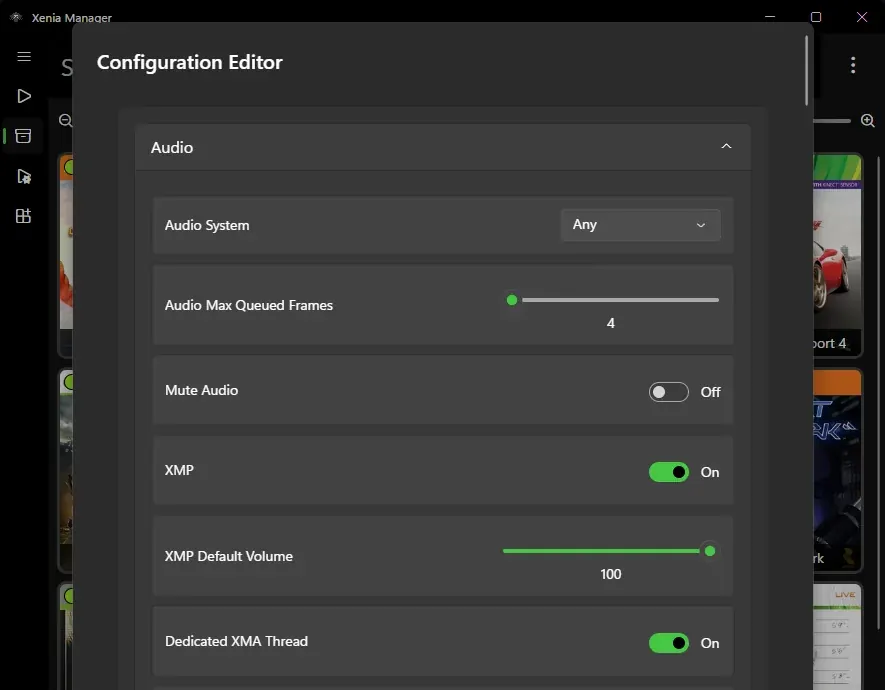
If Xenia Manager says a configuration file is missing and a game closes before Xenia opens, first check the selected configuration path. In the confirmed 4.2.2 bug, the manager can treat its installation directory as though it were a config file. The developer merged a fix into the experimental channel on July 11, 2026; the next stable release is expected to include it. The fix is now included in stable Xenia Manager 4.3.2, published August 20, 2026.
| Directory used as a file | The log says the target file is a directory. Reset the selected config path; do not delete the whole manager folder. |
|---|---|
| Config file genuinely absent | Start the correct Xenia build once so it creates a baseline config, then select that actual file. |
| Only one game fails | Check its per-game profile, patch and compatibility notes before changing global settings. |
| Canary install fails | This is a separate download/update problem; reinstall or update Canary from Emulator Management. |
diagnosis
The useful clue is not the word missing by itself. Read the full path in the Xenia Manager log. A normal target ends with a configuration filename. If the path ends at the Xenia Manager folder, a drive root or another directory, the manager is trying to copy a file to a directory-shaped destination.
Official issue #550 documented this behavior on Xenia Manager 4.2.2: every game briefly showed a loading screen, then closed, while the log reported that the target was a directory rather than a file. The maintainer supplied a test build, the reporter confirmed it worked, and the fix was merged into the development branch and experimental release.
safe repair
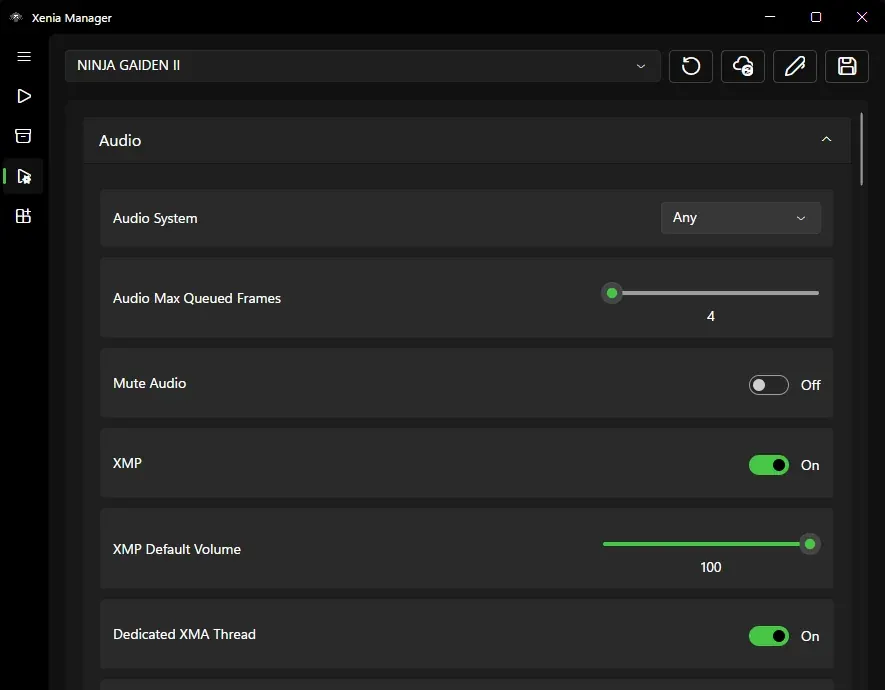
Close Xenia and Xenia Manager before changing paths. Back up the manager data folder and the active Xenia content folder if you have saves, title updates or DLC. Reopen the manager, confirm the selected emulator build, and inspect the global or per-game configuration selection. Clear a directory-only value and select the real config file for that build.
Do not solve this error by deleting every Xenia folder. The configuration path, game library, content folder, patches and saves are separate concerns. A broad deletion can turn one bad path into missing saves or lost settings. Change one value, launch one known game, and read the new log before doing anything else.
version choice
As checked on August 22, 2026, Xenia Manager 4.3.2 is the latest stable GitHub release. Its release notes include the Empty Config File Path fix, so users still on 4.2.2 should back up their manager data and update from the official release source before repeating the path repair.
Keep the previous working folder until games launch correctly. If the error remains on 4.3.2, verify that the selected path points to the real configuration file, then compare logs without changing patches, emulator build and content folders at the same time.
other causes
Disable optional patches, restore a clean per-game profile and compare the title against current compatibility reports. Confirm that the selected Xenia executable exists, security software has not quarantined files, and the content folder is writable.
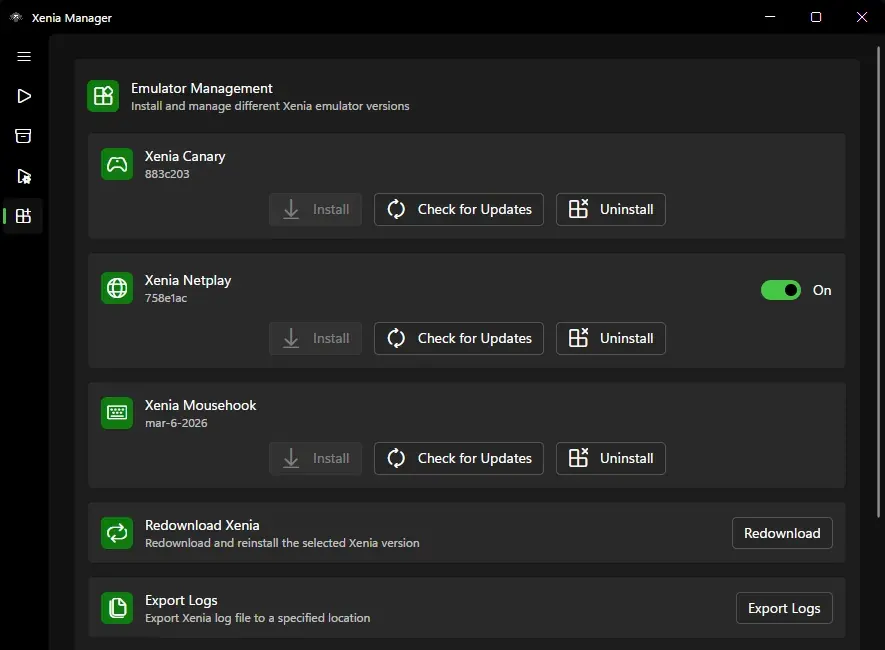
If only Canary fails to install or update, treat that as a separate emulator-download error. Use Emulator Management to check for updates or redownload the selected build. If the manager cannot write files, move the portable folder to a normal user-writable location instead of a protected system directory.
quick sequence
Reproduce the failure once and find the complete configuration path.
If the path points to a folder, correct the selection before deleting anything.
Make sure the selected config belongs to the active Master or Canary executable.
Disable patches and per-game overrides for one known-compatible title.
Wait for stable or use only the official experimental release if the confirmed bug blocks you.
Attach the log, app version, Windows version and exact steps to an official issue.
related guides
Restore a controlled global and per-game baseline.
Review settingsVerify folders, builds and first-run requirements.
Open setup guideChoose a stable baseline or experimental fixes deliberately.
Compare buildsSeparate a manager error from a game-specific limitation.
Check compatibilityFAQ
The file may genuinely not exist, or the selected path may point to a directory instead of a config file. Read the full log path before recreating or deleting anything.
Yes. The 4.3.2 release notes include the Empty Config File Path fix. Back up first, update from the official release, and recheck the selected file path if the error remains.
No. Back up saves and data, then correct the single config path. Deleting the whole folder can remove useful settings.
Yes. Start the correct Xenia build once to create its baseline config, then point Xenia Manager to that actual file.
Check that game's compatibility report, per-game profile, patches and content before changing the global config.