
Download from GitHub
Open the Xenia Canary releases page and download the build from the official source.
Quick verdict
Xenia Master vs Canary is not a simple old-versus-new choice. Master is the conservative baseline; Canary publishes experimental changes faster. Use Canary when a game-specific fix or compatibility report points to it, but keep Master available so you can compare the same game, scene, settings and content without losing a known-good setup.
| Master | Start with Xenia Master when a game already boots and you need a repeatable reference. Test Canary for a documented game fix, patch or compatibility result. A newer build is not automatically a better build. |
|---|---|
| Canary | Master is the main project line and a cautious baseline. Canary integrates experimental changes sooner. That speed can expose fixes earlier, but it can also introduce regressions in graphics, audio, timing, input or saves. |
| Per-game choice | Compare the same Title Update, DLC, patches, renderer, resolution and save backup. Judge boot reliability, rendering, audio, input, cutscenes, saves and crashes instead of looking only at frame rate. |
| Rollback | Keep Master and Canary in separate folders or manage them as separate versions. Change only the emulator branch first, test the same reproducible scene, record the exact build tag and keep the previous working build. |
Quick verdict
Start with Xenia Master when a game already boots and you need a repeatable reference. Test Canary for a documented game fix, patch or compatibility result. A newer build is not automatically a better build.
Quick verdict
Master is the main project line and a cautious baseline. Canary integrates experimental changes sooner. That speed can expose fixes earlier, but it can also introduce regressions in graphics, audio, timing, input or saves.
Quick verdict
Compare the same Title Update, DLC, patches, renderer, resolution and save backup. Judge boot reliability, rendering, audio, input, cutscenes, saves and crashes instead of looking only at frame rate.
Quick verdict
Keep Master and Canary in separate folders or manage them as separate versions. Change only the emulator branch first, test the same reproducible scene, record the exact build tag and keep the previous working build.
Quick verdict
Checked August 22, 2026: Xenia Manager 4.3.2 was published August 20, 2026; Xenia Canary a5262a9 was published August 22, 2026; Xenia Master v1.0.2844-master was published February 18, 2026. Verify the official GitHub release pages because these identifiers can change.
setup steps
Open the Xenia Canary releases page and download the build from the official source.
Keep Canary in its own folder so it does not overwrite a stable emulator setup.
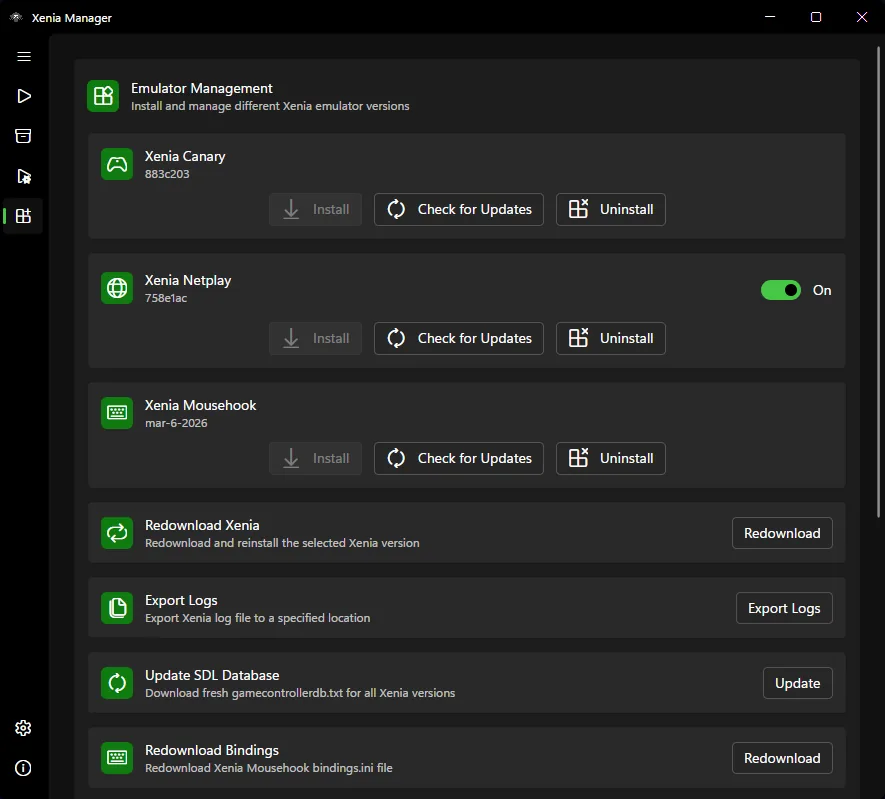
If you use Xenia Manager, select the Canary executable or build path according to the manager workflow.
Run a known title and compare behavior against your previous build before adding patches or DLC changes.
Keep notes when a Canary build improves or breaks a game. Version details matter when compatibility changes.
related guides
Start with the manager download page if you need the desktop utility rather than the experimental emulator build.
Open download guideLearn how compatibility reports can help decide whether Canary is worth testing for a specific game.
Read compatibility guideUse a clean first-run setup before experimenting with multiple emulator builds.
Open setup guideCanary FAQ
Not for every game. Canary may contain a newer fix, while Master remains the safer comparison baseline. Keep the build that produces the most reliable total result for that title.
Not always. Canary can contain newer fixes, but it can also introduce regressions. Test it when a game needs a specific fix or when compatibility notes point to Canary.
Use the Xenia Canary GitHub releases page. Avoid mirror pages that repackage files or include unrelated downloads.
Yes, many users manage emulator builds through Xenia Manager, but the exact workflow depends on your manager version and build paths.
No. Keep a known working build until you confirm Canary works better for your specific games.